
Government College of Technology (GCT) Rawalpindi is a prestigious technical institution in Rawalpindi, Punjab, committed to providing top-tier vocational and engineering education. As a TEVTA-affiliated institute, GCT aims to set the standard for technical training across the region
The Web Designing course equips students with the skills needed to create modern, responsive, and visually appealing websites. Through hands-on training in HTML, CSS, JavaScript, UI/UX design, and popular tools like Bootstrap and WordPress, students learn to build user-friendly websites from scratch. This course is ideal for beginners aiming to enter the field of web design or start a freelance career.
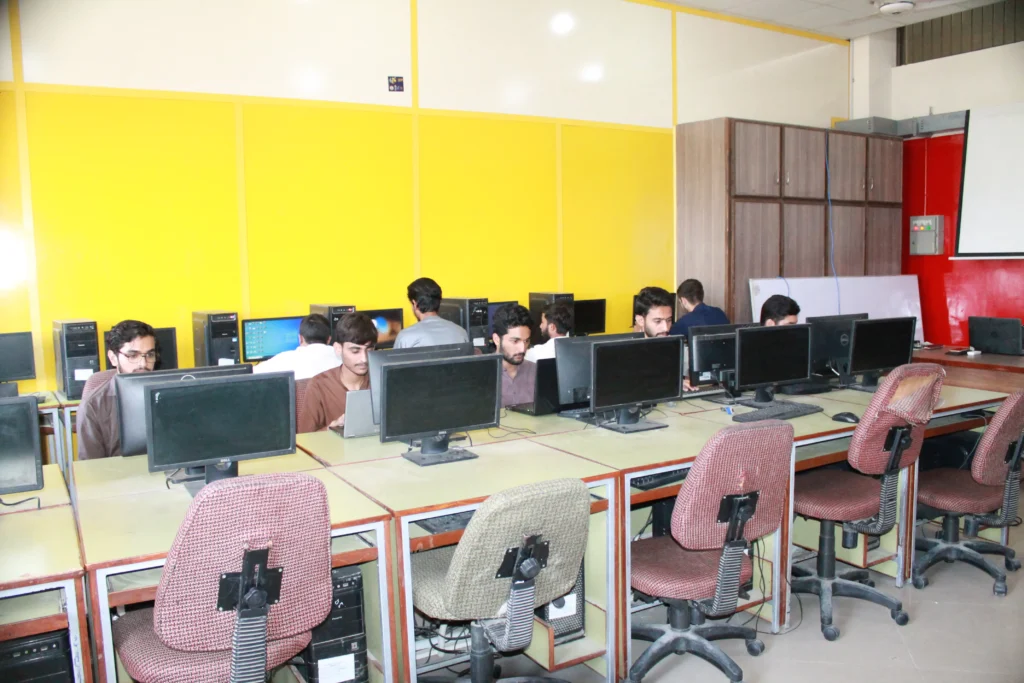
Web designing is the art and science of creating visually appealing and functional websites. It involves a combination of creative and technical skills to plan, design, and build the user-facing part of a website. The field has evolved significantly, moving from static pages to dynamic, interactive, and responsive websites that adapt to various devices like desktops, tablets, and mobile phones.
A comprehensive web designing course for students with an intermediate educational background will provide a strong foundation in the core principles of design, user experience (UX), and the fundamental technologies required for modern web development. The curriculum typically focuses on a “front-end” skill set, teaching students how to create the visual and interactive elements that users see and interact with. This course will cover everything from basic markup languages to styling, scripting, and the use of popular frameworks to accelerate the development process. The goal is to equip students with the skills needed to create professional,
Upon successful completion of this 6-month course, graduates will be well-prepared to enter the
dynamic and fast-growing digital industry in Pakistan and globally. The skills acquired will
enable them to pursue various career paths, including:
| Module | Topic | Theory Hours | Practical Hours |
|---|---|---|---|
| Month 1: Introduction to Web Development & Design |
Introduction to the Internet and World Wide Web Web Design vs. Web Development Introduction to HTML5 (Hypertext Markup Language) Basic HTML tags, elements, and structure Creating a basic static webpage |
10 | 30 |
|
Introduction to CSS3 (Cascading Style Sheets) Types of CSS (Inline, Internal, External) CSS selectors, properties, and values Styling text, colors, backgrounds, and borders Creating a professional webpage using HTML & CSS |
10 | 30 | |
| Month 2: Advanced CSS & Responsive Design |
The CSS Box Model (Margin, Padding, Border) CSS Positioning (Relative, Absolute, Fixed) Flexbox and CSS Grid for layout design Introduction to Responsive Web Design CSS Media Queries for adapting to different devices |
10 | 30 |
|
Introduction to Bootstrap Using Bootstrap’s grid system and components Creating a responsive website with Bootstrap Project 1: Building a responsive portfolio website |
10 | 30 | |
| Month 3: Introduction to JavaScript |
Introduction to JavaScript and its role in web design JavaScript syntax and fundamental concepts Variables, data types, and operators Conditional statements and loops Functions and arrays |
10 | 30 |
|
The Document Object Model (DOM) and DOM Manipulation Event handling and responding to user interactions Form validation with JavaScript Introduction to jQuery (a JavaScript library) |
10 | 30 | |
| Month 4: User Experience (UX) & User Interface (UI) Design |
Principles of UX/UI design User-centered design process Creating wireframes and prototypes Using design software (e.g., Figma or Adobe XD) Introduction to typography, color theory, and visual hierarchy |
10 | 30 |
|
Creating high-fidelity mockups Introduction to accessibility in web design Project 2: Designing a website prototype in Figma/Adobe XD |
10 | 30 | |
| Month 5: Web Publishing & Optimization |
Domain names and web hosting Using a File Transfer Protocol (FTP) client to upload a website Introduction to WordPress (a Content Management System) Installing and customizing a WordPress theme |
10 | 30 |
|
Best practices for web performance and security Cross-browser compatibility testing Project 3: Building and deploying a WordPress website |
10 | 30 | |
| Month 6: Freelancing & Career Preparation |
The freelancing ecosystem in Pakistan (e.g., Upwork, Fiverr) Building a professional portfolio Client communication and project management Setting rates and creating proposals Final Project: A complete, client-ready website |
10 | 30 |
|
Interview skills and resume building Exploring career paths and continuing education Final review of all course topics and practical skills Certification and job placement assistance |
10 | 30 | |
| Total Hours | 120 | 360 | |